The Missing Manual for Your AI Homelab
Setting up Dify? You can do that in 10 minutes. Installing Ollama? curl -fsSL https://ollama.com/install.sh | sh. Spinning up n8n? A three-line Docker Compose file.
Each individual tool is well-documented. The hard part — the really hard part — is making them all talk to each other in a way that doesn't collapse the first time you look away.
A production-grade homelab isn't just a bunch of containers running on the same host. It's a system where:
- Backup actually works (and you've tested the restore)
- Monitoring tells you something's wrong before your users do
- Secrets aren't hardcoded into Compose files
- Updates don't require reading three separate changelogs and hoping
- Security means TLS is automatic, not an afterthought
This guide is the missing manual — the integration layer that connects the individual stacks into a cohesive, production-ready AI infrastructure platform.
What's Inside
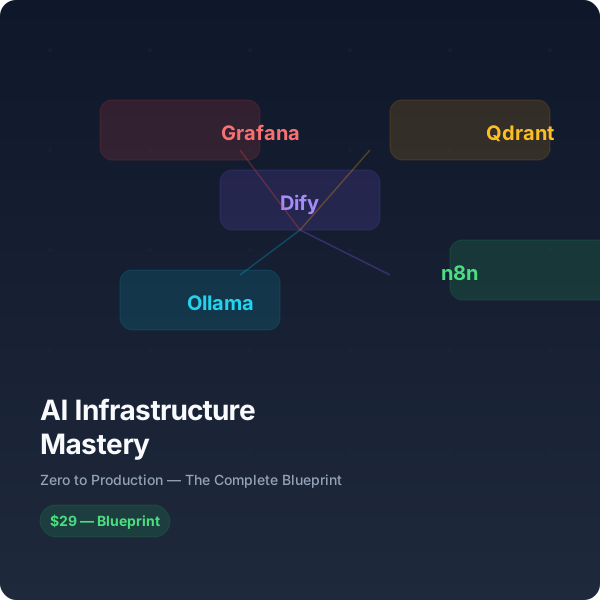
A complete architecture that ties together seven core components into a unified system behind a single Traefik reverse proxy with automatic SSL:
- Dify — LLM application orchestration with visual workflow builder, RAG pipelines, and agent capabilities
- n8n — Workflow automation connecting AI outputs to 400+ integrations (email, Slack, CRM, databases)
- Ollama — Local LLM inference for privacy-sensitive workloads, with GPU acceleration
- Qdrant — High-performance vector database for semantic search and RAG embeddings
- Prometheus + Grafana — Real-time infrastructure monitoring with pre-built dashboards
- MinIO — S3-compatible object storage for backups and artifact storage
You'll learn:
- How to wire Dify's vector store to Qdrant for production-scale RAG pipelines
- How to connect n8n to Ollama's local models for workflow automation without API costs
- How to configure MinIO as a backup target for every service in the stack
- How Traefik auto-provisions Let's Encrypt certificates for all services with zero config
- How Prometheus discovers all services and Grafana visualizes the health of the entire stack
- How to restore individual services from MinIO backups without taking down the whole system
- How to pin versions and apply updates with zero-downtime rollouts
- How to set up resource limits so Ollama doesn't starve Dify of memory
- How to configure n8n webhooks to trigger Dify workflows programmatically
- How to secure inter-service communication with internal networks
Sample Stack Architecture
The stack runs behind a single Traefik reverse proxy that terminates TLS and routes traffic by hostname. An internal Docker network keeps service-to-service communication isolated from the outside world.
Dify (api + worker + web) stores application data in its own PostgreSQL database, uses Redis for the Celery task queue, and connects to Weaviate for vector storage. n8n has a dedicated PostgreSQL instance for workflow state and queues. Ollama exposes its OpenAI-compatible API on the internal network for use by both Dify and n8n. Qdrant runs as a standalone vector database service that both Dify and custom scripts can query.
Prometheus scrapes metrics from all services that expose them. Grafana connects to Prometheus and provides a unified dashboard. MinIO stores nightly backups of every database and volume, with configurable retention policies.
All of this is wired together in a single docker-compose.yml with sane defaults — but each service is independently updatable, restartable, and scalable.
Who This Is For
- DevOps engineers who've already deployed individual AI stacks (Dify, n8n, Ollama) and now need to integrate them into a cohesive platform with proper monitoring, backup, and security
- Homelab enthusiasts ready to move from "it works on my machine" to "it survives a power outage and an SSD failure"
- Self-hosters running AI services who've learned the hard way that "I'll set up backups later" means "I've already lost data"
- Technical founders building AI-powered products who want a production-grade foundation before the first customer hits the login page
If you can edit a YAML file and run docker compose up, you have everything you need to deploy this stack.
Format & Delivery
You receive a ZIP archive containing:
- docker-compose.yml — The complete 20+ service stack, fully commented
- .env.example — Every environment variable documented with sensible defaults
- README.md — Architecture overview, quick-start guide, and production runbook
All future updates to the stack are included at no additional cost. When a new version of Dify, n8n, or any component is released, the updated compose file is published as a new download.
No subscriptions. No recurring fees. One purchase, lifetime access, unlimited deployments.